




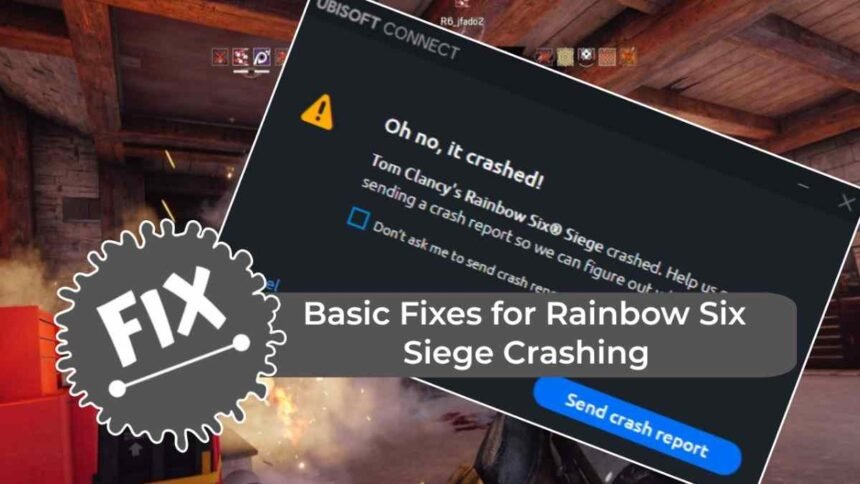
Rainbow Six Siege is known for its complex strategies and intense gunfights. It is one of the most popular tactical shooter games that I love, based on the popular thriller novel written by Tom Clancy. And that’s why Ubisoft titled the game after the author “Tom Clancy’s Rainbow Six Siege.” R6 delivers an intense, 5v5 team-based shooter experience that players love. But it can be frustrating as well if your game crashes between matches or while launching on your PC.
Rainbow Six Siege crashing on my PC is a real mood spoiler. I can’t explain the pain when I was in a match and the game crashed. I was just staring at my desktop screen for real. A few fans know that whenever new updates come out, the game faces a few bugs. Sometimes I think it’s just a stability issue on the game’s side. So, in this post, I will guide you on how you can fix the Rainbow Six Siege crashing problem, because I’ve fixed it on my own system.
Possible Reasons behind Rainbow Six Siege Crashing
You’re here because you’re also dealing with game crashes while playing. There are a few possible reasons for this, along with some quick fixes. Let’s find out why these crashes are happening.
- Corrupted Game Files – Corrupted or missing game files can also cause your game to break and lead to R6 crashing.
- Anti-Cheat Failure – Rainbow Six relies on several anti-cheat systems, such as BattlEye and Ubisoft Anti-Cheat. Sometimes, when a user presses Alt+Tab to switch to another application while playing the game, it can cause the entire Windows system to crash due to errors in BEDaisy.sys file.
- Outdated Graphics Drivers – The graphics card is the main component in your system for rendering game visuals. If your graphics card has become outdated, it can lead to compatibilities issues or game crashes.
- Overheating Issue – Be sure to keep an eye on your system’s temperature. If you have been running the system for a long time, it may overheat, which could cause Rainbow Six Siege crashing issues.
- Background Apps – Programs running in the background on your system while you play R6 such as Discord, Chrome, or others applications. It can sometimes interfere with Rainbow Six Siege’s files or steal system resources.
- Network Latency – Ensure that your internet connection speed is stable. Otherwise, you will face crashing issues in Rainbow Six Siege due to high ping.
How to Fix Rainbow Six Siege Crashing Problems?
You know, R6 fully supports crossplay, so you can even play with your console friends if you’re playing on PC. But it can be really annoying if you are in a match, an intense moment comes, and suddenly the game freezes. For me, it’s a very serious issue, otherwise what’s the point of playing the game? Here, I have already explained what can crash the game, and now it’s time to fix the issues.
Check System Compatibility
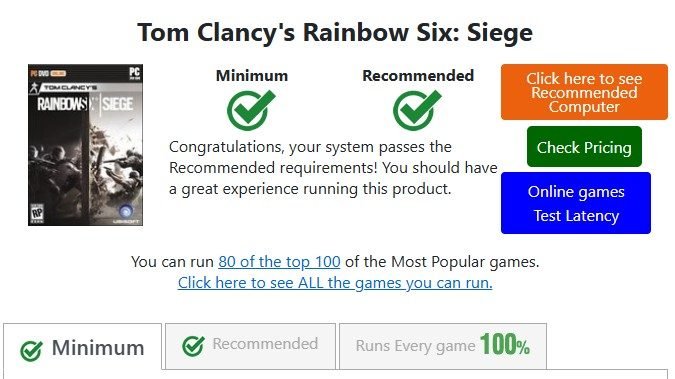
First of all, check whether your PC system meets the game’s system requirements. One reason for the game crashing could be that an element of your hardware components is not supported.
Well, all you have to do is compare your system requirements with Ubisoft’s official requirements details. Ubisoft provides a list of minimum and recommended specs for 2K and 4K graphics. Apart from that, you can also check your system requirements on “Can You RUN It“, visit the website, search for the game “Rainbow Six Siege”, and check whether your system passed the minimum and recommended requirements or not.
Updating Graphics Drivers
Outdated drivers are one of the most common issues that can become a real reason for Rainbow Six Siege crashing. Update your graphics driver regularly using the manufacturer’s software such as GeForce Experience for Nvidia or AMD Radeon Software.
- First, type Device Manager on your Windows menu.
- Select the first option from the results.
- Now choose “Display Adapters”.
- At last, right click on your graphics card and press the update button if it’s available.
Background Apps
You have to close every unnecessary application running in the background when you are playing R6. Trust me, it’s a very genuine reason that can crash the game because they can interfere with the original game’s resources.
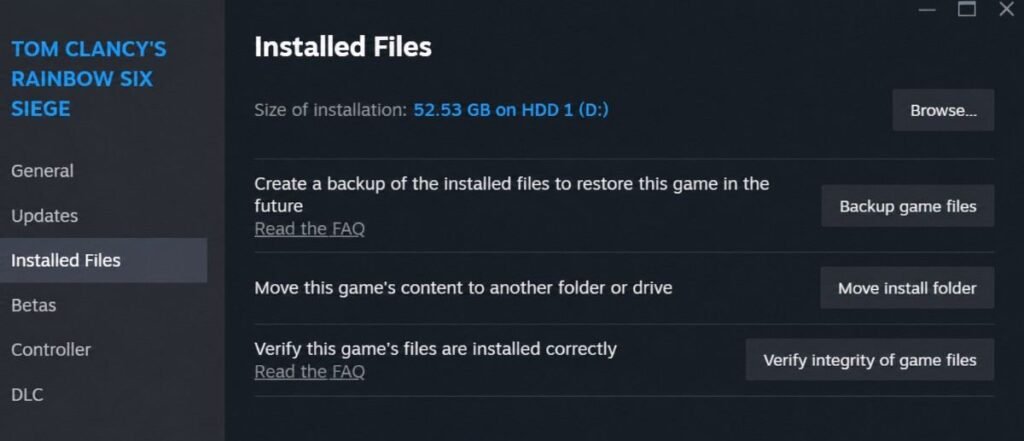
Verify and Fix Rainbow Six Siege Game Files
Did you check if the game is not missing any files that can corrupt the game and lead to a crashing screen? Your game launcher provides such features to verify and fix corrupted game files. Use Steam or Ubisoft Connect for this, or a better option for you is to go to the Steam page and verify the game files using their steps.
Ubisoft Support
Recently, many PC players reported to Ubisoft that they are facing constant crashing at launch. They even posted on their official X account about the issue, mentioning that it was caused by a series of Windows updates. So if you think it’s your fault or your PC, then it’s not. It has nothing to do with your PC or hardware, It is your operating system, and they even told players to fix it by uninstalling the Windows Preview update.
If you are facing the same errors, then how will you fix them? Just open settings on your desktop. Click on Windows Update and select the option for “Update History”. On the next screen, scroll down to the bottom and find “Uninstall updates”. Now you have to uninstall the Windows Preview update that was mentioned above. Restart your computer and launch the game again.
After doing all the fixes, if it didn’t fix your problem, then don’t be frustrated. There’s a simple thing you can do: contact Ubisoft support. It won’t take long; they will listen to your issues and will guide you to tackle them.
Conclusion,
I have mentioned all the basic fixes that can easily solve the Rainbow Six Siege crashing on PC issue. And if somehow they didn’t solve your problem, you can do some advanced things like disabling fullscreen optimizations, turning off NVIDIA Vertical Sync, and disabling the Steam overlay. They can also fix the crashing issue while playing the game and will improve its stability and frame rates.
Rainbow Six Siege’s new season will come next month, and I don’t want you to face all this that can mess up your mood. If your screen displays some other errors like a server connection error or any error code, then you can tell me in the comment box and I will personally guide you.